


First seen in Aug 2024
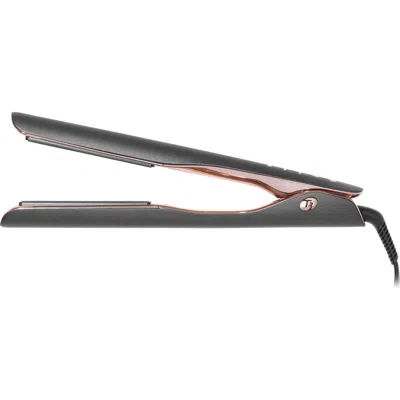
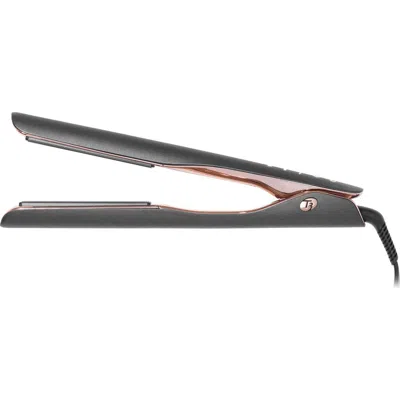
T3 Smooth Id 1 Smart Flat Iron With Touch Interface In Graphite
Photo: Nordstrom Rack
First seen in Aug 2024
1/10
SIZE & FIT INFORMATION
|

Smooth Id 1 Smart Flat Iron With Touch Interface In Graphite

Product Reviews

Product Details
Write My Review

Smooth Id 1 Smart Flat Iron With Touch Interface In Graphite

270270 1

Product Reviews

Product Details
Write My Review
Partner Stores
Partner Stores
T3 Smooth Id 1 Smart Flat Iron With Touch Interface In Graphite
T3 Smooth Id 1 Smart Flat Iron With Touch Interface In Gray
T3 Smooth Id 1 Smart Flat Iron With Touch Interface In Graphite
270Login to see price 1 Offers
In Stock
270
(1 Offers)
1Offers

T3 SMOOTH ID 1 SMART FLAT IRON WITH TOUCH INTERFACE

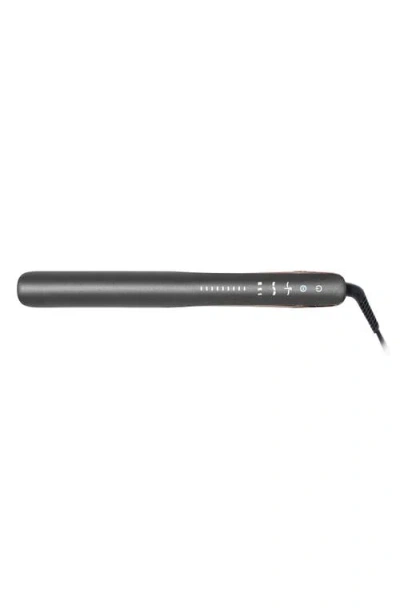
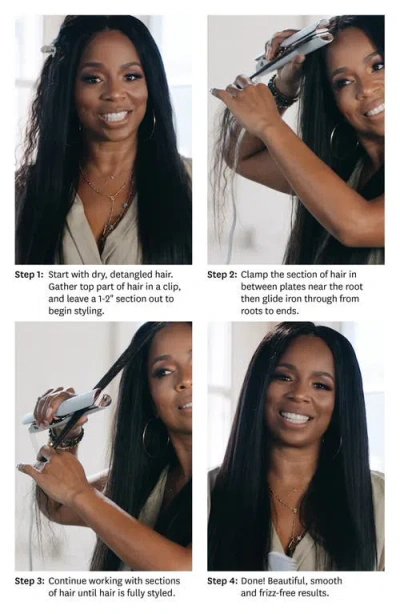
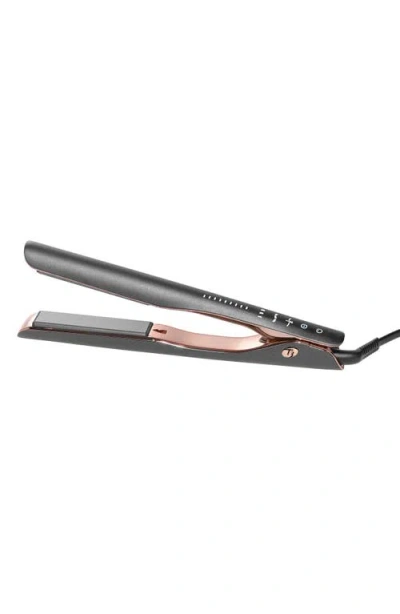
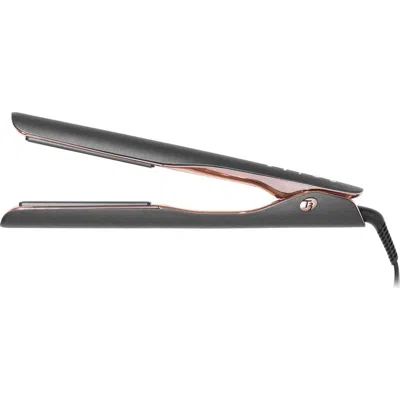
What it is: A flat iron designed with first-of-its-kind heat personalization to protect your one-of-a-kind hair.What it does: A smart-touch interface and many heat settings intelligently adjust to your unique profile based on hair texture, length and color treatments for smooth, shiny results with less damage. Powered by T3 Rapid HeatIQ® Technology, a smart microchip delivers advanced heat precision for fast, one-pass styling and lasting results. CeraGloss ceramic plates smooth the hair cuticle and lock in shine, while an ion generator infuses millions of frizz-smoothing negative ions. For quick touchups on day two, Refresh Mode automatically lowers your temperature to polish second-day styles while shielding hair from excess heat exposure. Smart heat protection, personalized for you.Features and benefits:- Smart microchip: actively monitors heat fluctuations to ensure temperature consistency during styling- Nine heat settings: deliver customized heat for every hair type and texture- T3 CeraSync heaters: evenly distribute and synchronize heat across both plates for fast, one-pass styling- Refresh Mode: automatically reduces your temperature to retouch previously styled hair with less heat exposure and a boost of negative ions for frizz-free, shiny results- ThermaTouch® Advanced Insulation Technology: makes the arms of the flat iron more comfortable to hold- One-hour auto off- 360º professional swivel cordHow to use: Turn on/off: to turn on, press and hold the lit power button until the tool vibrates, and lights start to cascade up. To turn off, first unlock the tool by quickly double-tapping the power button. Then, press and hold the power button until the iron vibrates and lights start to cascade down. Note: The power button remains on while the tool is plugged in, but the tool will not heat up until turned on.Set your HeatID profile: tap and toggle through each HeatID icon to input your HeatID profile: hair texture (fine, medium, coarse) hair length (short, medium, long), and color treatment (color-treated or not color-treated). Icons will stop blinking upon the first tap, and become brighter to indicate each selection. Lock your HeatID profile: Double tap the power button to lock your profile. The iron will begin to heat up. Once the iron beeps and the lights stop blinking, it is ready to use.Manual Mode: if you prefer to manually adjust your heat settings, enter Manual Mode. Tap the top of the temperature panel to increase the heat or tap the bottom of the panel to decrease the heat. If the screen is unlocked: tap the power button once to enter Manual Mode. If the screen is locked: double tap the power button to unlock the screen, then tap it one more time to enter Manual Mode.Refresh Mode: to retouch previously styled hair, tap the Refresh Mode button on the unlocked screen. The lights on the screen will turn blue to indicate Refresh Mode. When lights turn solid, the tool is ready to use. To exit Refresh Mode, unlock the tool by double-tapping the power button, then tap the Refresh Mode button. Imported

, 7651586_GRAPHITE

Login to see more detail
T3 Smooth Id 1 Smart Flat Iron With Touch Interface In Graphite
Take advantage of free shipping on most orders over $89.
T3 Smooth Id 1 Smart Flat Iron With Touch Interface In Graphite
Offers
(1 in total)
Take advantage of free shipping on most orders over $89.
T3 Smooth Id 1 Smart Flat Iron With Touch Interface In Gray
T3 Smooth Id 1 Smart Flat Iron With Touch Interface In Graphite
270Login to see price 2 Offers
Sold Out
270
(2 Offers)

T3 SMOOTH ID 1 SMART FLAT IRON WITH TOUCH INTERFACE

What it is: A flat iron designed with first-of-its-kind heat personalization to protect your one-of-a-kind hair.What it does: A smart-touch interface and many heat settings intelligently adjust to your unique profile based on hair texture, length and color treatments for smooth, shiny results with less damage. Powered by T3 Rapid HeatIQ® Technology, a smart microchip delivers advanced heat precision for fast, one-pass styling and lasting results. CeraGloss ceramic plates smooth the hair cuticle and lock in shine, while an ion generator infuses millions of frizz-smoothing negative ions. For quick touchups on day two, Refresh Mode automatically lowers your temperature to polish second-day styles while shielding hair from excess heat exposure. Smart heat protection, personalized for you.Features and benefits:- Smart microchip: actively monitors heat fluctuations to ensure temperature consistency during styling- Nine heat settings: deliver customized heat for every hair type and texture- T3 CeraSync heaters: evenly distribute and synchronize heat across both plates for fast, one-pass styling- Refresh Mode: automatically reduces your temperature to retouch previously styled hair with less heat exposure and a boost of negative ions for frizz-free, shiny results- ThermaTouch® Advanced Insulation Technology: makes the arms of the flat iron more comfortable to hold- One-hour auto off- 360º professional swivel cordHow to use: Turn on/off: to turn on, press and hold the lit power button until the tool vibrates, and lights start to cascade up. To turn off, first unlock the tool by quickly double-tapping the power button. Then, press and hold the power button until the iron vibrates and lights start to cascade down. Note: The power button remains on while the tool is plugged in, but the tool will not heat up until turned on.Set your HeatID profile: tap and toggle through each HeatID icon to input your HeatID profile: hair texture (fine, medium, coarse) hair length (short, medium, long), and color treatment (color-treated or not color-treated). Icons will stop blinking upon the first tap, and become brighter to indicate each selection. Lock your HeatID profile: Double tap the power button to lock your profile. The iron will begin to heat up. Once the iron beeps and the lights stop blinking, it is ready to use.Manual Mode: if you prefer to manually adjust your heat settings, enter Manual Mode. Tap the top of the temperature panel to increase the heat or tap the bottom of the panel to decrease the heat. If the screen is unlocked: tap the power button once to enter Manual Mode. If the screen is locked: double tap the power button to unlock the screen, then tap it one more time to enter Manual Mode.Refresh Mode: to retouch previously styled hair, tap the Refresh Mode button on the unlocked screen. The lights on the screen will turn blue to indicate Refresh Mode. When lights turn solid, the tool is ready to use. To exit Refresh Mode, unlock the tool by double-tapping the power button, then tap the Refresh Mode button. Imported

, 7651586_GRAPHITE

Login to see more detail
T3 Smooth Id 1 Smart Flat Iron With Touch Interface In Graphite
Offers
(2 in total)
T3 Smooth Id 1 Smart Flat Iron With Touch Interface In Graphite

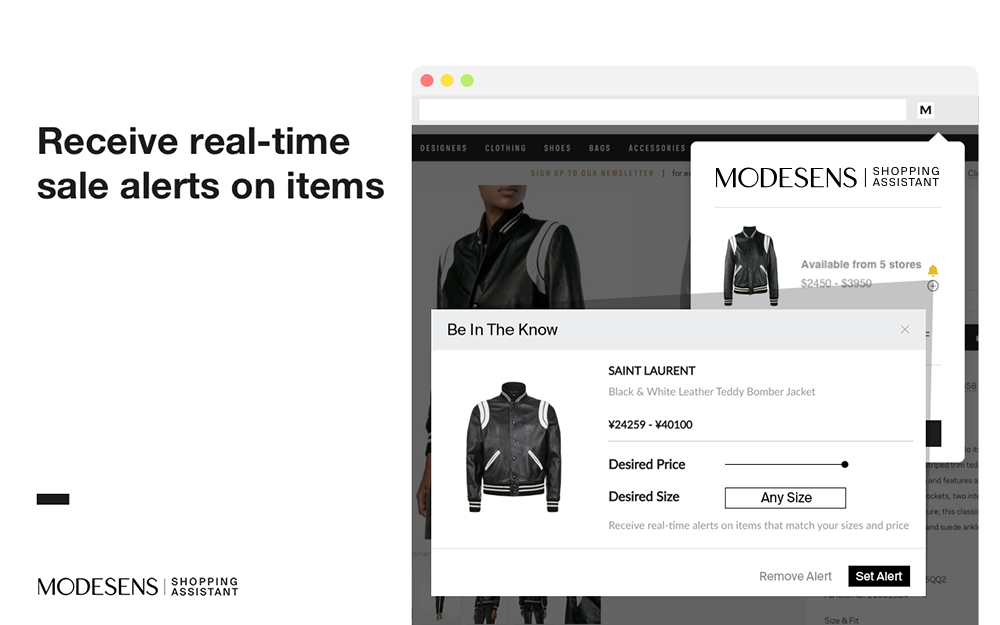
We’ll keep our eyes out for you. Subscribe to receive automatic email and app updates to be the first to know when this item becomes available in new stores, sizes or prices.

Product Details
T3 SMOOTH ID 1 SMART FLAT IRON WITH TOUCH INTERFACE
What it is: A flat iron designed with first-of-its-kind heat personalization to protect your one-of-a-kind hair.What it does: A smart-touch interface and many heat settings intelligently adjust to your unique profile based on hair texture, length and color treatments for smooth, shiny results with less damage. Powered by T3 Rapid HeatIQ® Technology, a smart microchip delivers advanced heat precision for fast, one-pass styling and lasting results. CeraGloss ceramic plates smooth the hair cuticle and lock in shine, while an ion generator infuses millions of frizz-smoothing negative ions. For quick touchups on day two, Refresh Mode automatically lowers your temperature to polish second-day styles while shielding hair from excess heat exposure. Smart heat protection, personalized for you.Features and benefits:- Smart microchip: actively monitors heat fluctuations to ensure temperature consistency during styling- Nine heat settings: deliver customized heat for every hair type and texture- T3 CeraSync heaters: evenly distribute and synchronize heat across both plates for fast, one-pass styling- Refresh Mode: automatically reduces your temperature to retouch previously styled hair with less heat exposure and a boost of negative ions for frizz-free, shiny results- ThermaTouch® Advanced Insulation Technology: makes the arms of the flat iron more comfortable to hold- One-hour auto off- 360º professional swivel cordHow to use: Turn on/off: to turn on, press and hold the lit power button until the tool vibrates, and lights start to cascade up. To turn off, first unlock the tool by quickly double-tapping the power button. Then, press and hold the power button until the iron vibrates and lights start to cascade down. Note: The power button remains on while the tool is plugged in, but the tool will not heat up until turned on.Set your HeatID profile: tap and toggle through each HeatID icon to input your HeatID profile: hair texture (fine, medium, coarse) hair length (short, medium, long), and color treatment (color-treated or not color-treated). Icons will stop blinking upon the first tap, and become brighter to indicate each selection. Lock your HeatID profile: Double tap the power button to lock your profile. The iron will begin to heat up. Once the iron beeps and the lights stop blinking, it is ready to use.Manual Mode: if you prefer to manually adjust your heat settings, enter Manual Mode. Tap the top of the temperature panel to increase the heat or tap the bottom of the panel to decrease the heat. If the screen is unlocked: tap the power button once to enter Manual Mode. If the screen is locked: double tap the power button to unlock the screen, then tap it one more time to enter Manual Mode.Refresh Mode: to retouch previously styled hair, tap the Refresh Mode button on the unlocked screen. The lights on the screen will turn blue to indicate Refresh Mode. When lights turn solid, the tool is ready to use. To exit Refresh Mode, unlock the tool by double-tapping the power button, then tap the Refresh Mode button. Imported
Product Detail Provided by Nordstrom Rack - Purchase Now
Size Guide

Product Reviews

Product Reviews
2 Sizes Small
2 Sizes Large

Viewers Also Liked

Recently Viewed

Please let us know if there are any issues for this product, like incorrect sizes or a broken link.

Select 2nd item


Not sure which one to get?

Become a ModeSens Member for exclusive VIP shopping benefits
Learn more

A world of fashion, powered by technology. ModeSens pulls from the racks of 11,000+ luxury brands, aggregating every product at the item level for a seamless, transparent and secure shopping experience

As a ModeSens Shopper You Can:
  • Find the best price from over 800+ stores
  • Keep track of what you want to buy
  • Be the first to know when something you want goes on sale
  • Share your style and connect with others
  • Shop like a pro with ModeSens Purchase Assistant
  • Enjoy exclusive perks and protection with our membership program

arrow
Please click [ ... ]
in the top right conner to download.
We use our own and third-party cookies to offer you the best possible service. By continuing to browse on modesens.com or clicking on "OK",  you consent to the use of cookies.
OK
For best iOS experience, download 'ModeSens' from app storeFor best iOS experience, download 'ModeSens' from app store
toptop